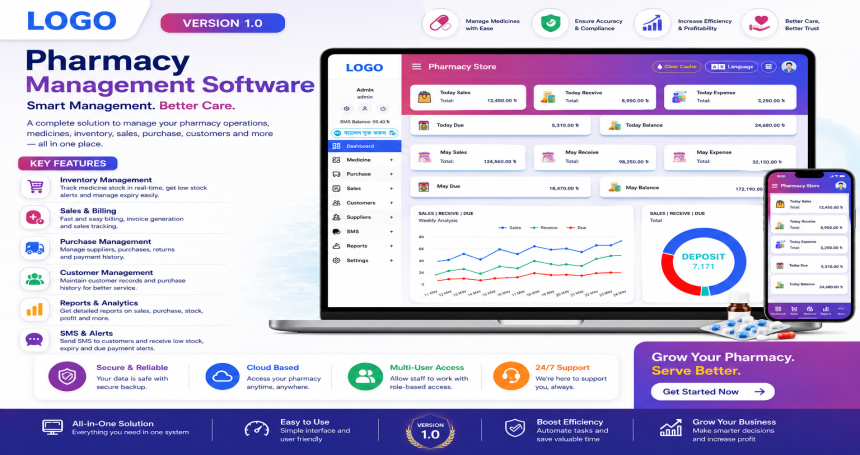
Pharmacy Management System is a powerful web-based application designed to help pharmacy businesses streamline and manage their daily operations with ease. It offers a clean, modern UI with dashboard insights, financial tracking, medicine inventory, invoicing, and staff management—all in one platform.
| Demo Link | : | pharmacy.bsoftbd.com |
|---|---|---|
| Login ID | : | admin |
| Password | : | admin1234 |
To run the Pharmacy Management System smoothly, ensure your server or hosting environment meets the following:
mysqlimbstringpdoopenssljsoncurlfileinfogdzipPlease follow the steps below to install and configure the Pharmacy Management System on your server:
/source_code folder to your hosting server (e.g., public_html/ or a subfolder).database/database.sql into the newly created database..env.example to .env if not already named..env file and update the database and URL configuration:.env APP_NAME="Pharmacy Store" APP_URL=http://yourdomain.com DB_CONNECTION=mysql DB_HOST=127.0.0.1 DB_PORT=3306 DB_DATABASE=your_database_name DB_USERNAME=your_database_user DB_PASSWORD=your_database_password
Make sure the following folders have write permissions:
bash

/storage
/bootstrap/cache
Use this if you're using SSH:
bash

chmod -R 775 storage
chmod -R 775 bootstrap/cache
If your server supports SSH, navigate to the project root and run:
bash

php artisan key:generate
php artisan config:cache
After successful setup, access your app via:
arduino

http://yourdomain.com
Use the default login credentials:
Email: admin@example.com
Password: admin123
✅ Be sure to change your password after first login for security.
.env or settings panel.