Username: admin | Password: admin1234
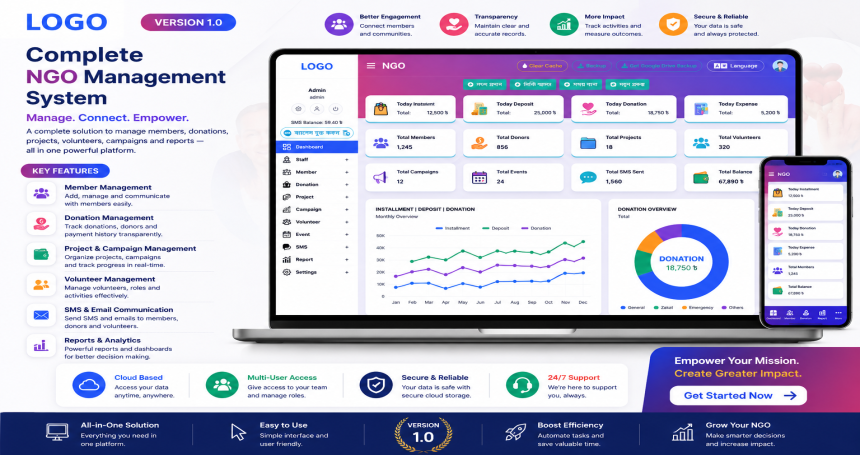
This modern NGO Management System is designed specifically for NGOs and microfinance institutions to efficiently manage staff, members, deposits, loans, installments, financial reports, and SMS notifications — all from one centralized platform.
Features
📊 Dashboard
Real-time overview of daily transactions: Installments, Deposits, Loans, and Balance.
Weekly graphical analysis of Installment, Deposit, and Loan data.
Color-coded pie charts for quick financial status summaries.
👥 Staff & Member Management
Add and manage NGO staff profiles.
Register and manage members with full information tracking.
💸 Deposit & Loan Module
Deposit Management: Track member deposits by date and amount.
Loan Management: Grant loans, manage repayment schedules.
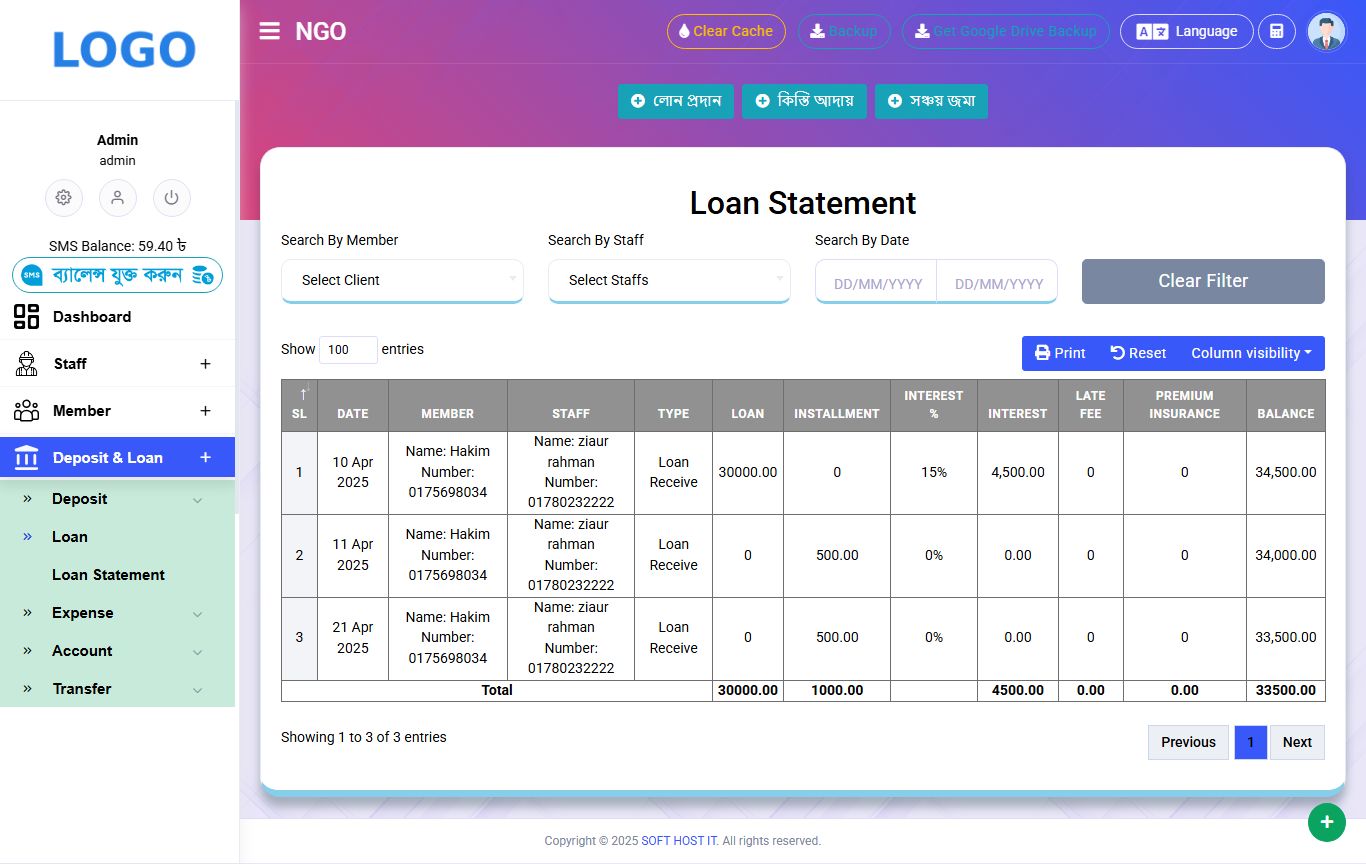
Loan Statement: View detailed repayment history and outstanding balances.
📈 Reporting & Analytics
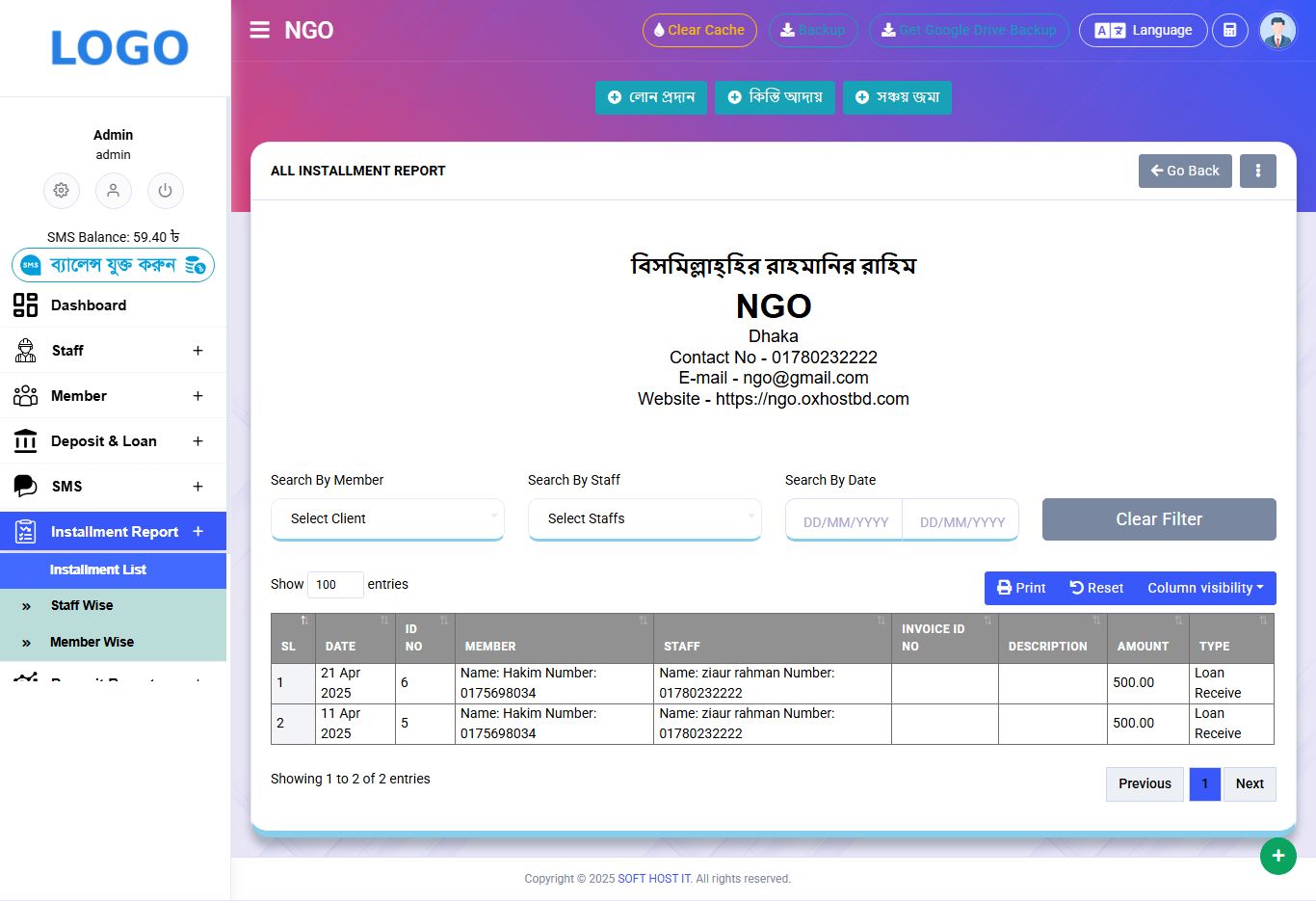
Installment, Deposit, and Loan reports by date range.
Weekly trend graphs for performance analysis.
💰 Financial Management
Expense Tracking: Log all organizational expenditures.
Accounts: Manage income/expense categories and balances.
Fund Transfer: Internal fund transfers between accounts.
📤 SMS Notifications
Built-in SMS feature to notify members of loan approvals, installments, or reminders.
🔄 Backup & Restore
Manual and Google Drive-based backup options to protect data.
🌐 Multilingual Support
Interface supports both English and Bangla, accessible via toggle.
Requirements
Web Server: Apache or NginxPHP Version: PHP 7.4 or higher (PHP 8.x supported)Database: MySQL 5.7+ or MariaDB 10.3+Extensions Required:
pdo
mbstring
openssl
fileinfo
curl
json
tokenizer
xml
zip
Disk Space: At least 1 GB (more recommended for backups)RAM: Minimum 1 GB (2 GB+ recommended for production use)SSL Certificate: For secure HTTPS access (optional but recommended)
Instructions
📁 1. Upload Files to Server
Upload all Laravel project files to your web server's public directory (e.g., /public_html/ or /var/www/html/ngo).
If it's zipped, extract the files.
🗃️ 2. Import the Database
Create a new MySQL database (e.g., ngo_db) from your hosting control panel or phpMyAdmin.
Import the provided .sql file into this database.
📝 3. Configure .env File
Edit the .env file in the root directory:
APP_NAME="NGO"
APP_URL=http://yourdomain.com
DB_CONNECTION=mysql
DB_HOST=127.0.0.1
DB_PORT=3306
DB_DATABASE=ngo_db
DB_USERNAME=your_db_user
DB_PASSWORD=your_db_password
🧪 4. Install Dependencies
Run the following commands via terminal (SSH) or local setup:
composer install
php artisan key:generate
php artisan migrate --seed
If seeder/dummy data is not available, skip --seed.
🗂️ 5. Set Permissions
Ensure storage and cache folders are writable:
chmod -R 775 storage
chmod -R 775 bootstrap/cache
🔄 6. Run Migrations (Optional, if DB is not imported manually)
php artisan migrate
🔐 7. Set Up Virtual Host or Domain (Optional)
Point your domain/subdomain to the /public directory of the Laravel project.
✅ Final Step
Visit your site in the browser:
URL: http://yourdomain.com/login