Travel Agency Management Software
Demo Link:basic.t-hisab.com
Login ID:admin
Password:admin1234

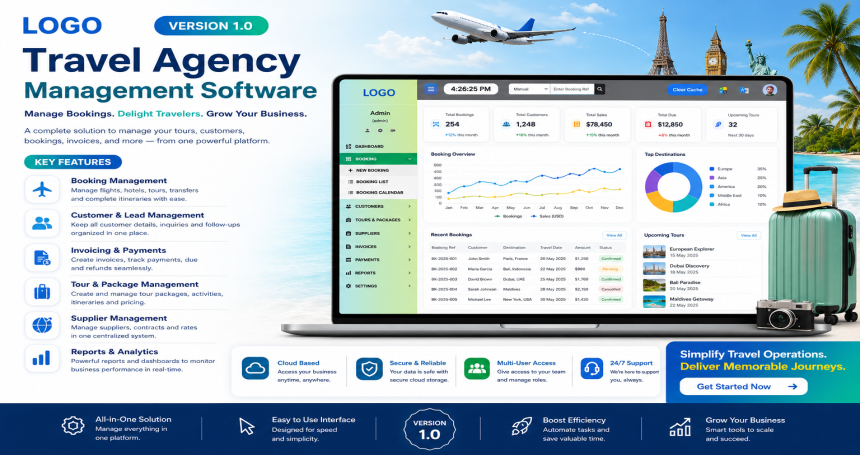
The Travel Agency Management Software is a comprehensive, web-based platform tailored to meet the operational needs of travel agencies and visa processing centers. With a modern and intuitive interface, this system enables seamless management of clients, vendors, staff, passports, agents, and finances all in one place.

🖥 Dashboard Overview

The main dashboard offers a snapshot of all key business metrics at a glance:

  • Total Client: Shows the number of registered clients.
  • Total Staff: Displays the number of agency staff members.
  • Total Sales, Deposit, Cost, Balance: Financial indicators in real-time with Bangladeshi Taka (৳) currency format.
  • Today’s and Monthly Summary: Separate panels for today's and monthly figures for sales, deposits, and costs.

This visual overview allows quick monitoring and data-driven decision-making.

⚙️ Core Features

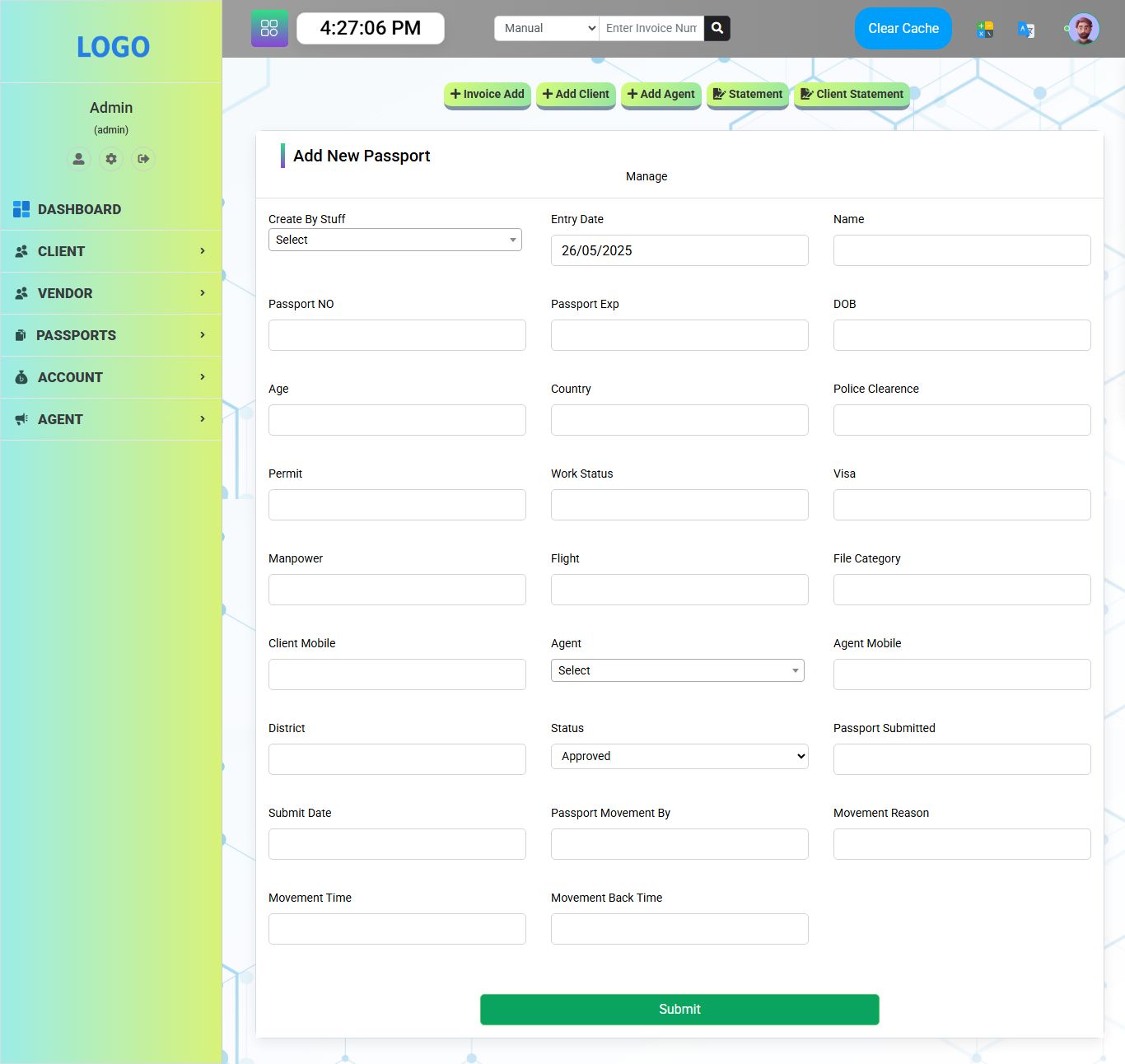
➕ Quick Actions

Buttons for:

  • + Invoice Add
  • + Add Client
  • + Add Agent
  • 📄 Statement
  • 📄 Client Statement

These shortcut buttons allow rapid creation and access to key documents and records.

📂 Main Modules

1. Dashboard

Central control panel with real-time data analytics.

2. Client Management

Add, edit, and manage client information, transactions, and associated services.

3. Vendor Management

Maintain vendor records for services like flights, accommodations, and tours.

4. Passport Handling

Track passport submissions, delivery, and renewals efficiently.

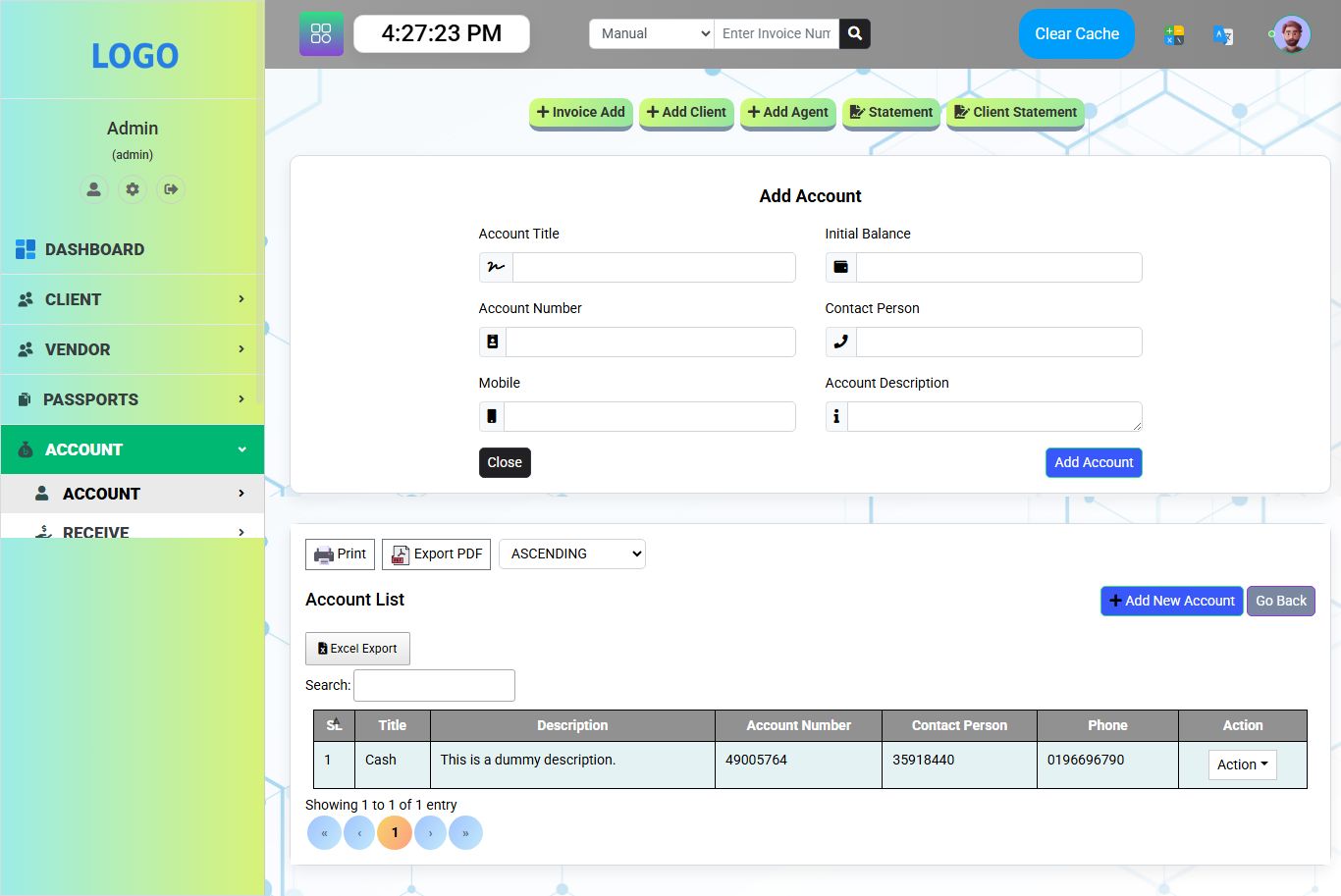
5. Accounts Module

Manage financial transactions, generate invoices, view sales, deposits, costs, and balances.

6. Agent Management

Add and monitor agents with tracking for their clients and commissions.

🔧 Admin Tools

On the left sidebar:

  • Profile Access
  • Settings
  • Logout
  • User Role: Admin (admin)

These allow admin-level control over user permissions and system settings.

🌐 Top Navigation Bar

  • Live Clock: Shows current time
  • Invoice Search: Quick invoice lookup by number
  • Mode Switch (Manual/Auto): For system behavior configuration
  • Clear Cache Button: Ensures optimal performance by refreshing system data
  • Multi-language Options: Indicated by language and flag icons
  • User Profile Access: For managing the admin’s profile

🎨 Design & Usability

  • Colorful, flat design with icons for ease of navigation
  • Responsive layout suitable for desktops, tablets, and large mobile screens
  • Real-time data updates and clean separation of data blocks using colored cards and icon indicators

📈 Benefits

  • Centralized control of travel and visa operations
  • Reduces manual paperwork and human errors
  • Enhances staff productivity with fast client and agent onboarding
  • Accurate tracking of financials with real-time reporting
  • Improves service delivery through organized passport and vendor coordination

This software is ideal for small to mid-sized travel agencies, visa consultancies, or tour operators looking for a reliable and visually intuitive solution to manage daily operations efficiently.

Features

✅ Dashboard Features

  • Real-Time Clock Display – Shows the current time at the top of the dashboard.
  • Quick Invoice Search – Search bar to find invoices instantly by number.
  • Mode Selection (Manual/Auto) – Dropdown to switch between manual or automated operations.
  • Clear Cache Button – Allows the admin to clear system cache for performance refresh.

✅ Quick Action Buttons

  • + Invoice Add – Instantly create a new invoice.
  • + Add Client – Quickly register a new client into the system.
  • + Add Agent – Register new agents for commission tracking and client management.
  • 📄 Statement – Generate general financial statements.
  • 📄 Client Statement – Generate individual client-wise financial statements.

✅ Dashboard Stats & Cards

  • Total Client – Displays total number of registered clients.
  • Total Stuff (Staff) – Shows total number of staff added to the system.
  • Total Sales – Total accumulated sales amount.
  • Total Deposit – Total amount deposited.
  • Total Cost – Displays all recorded costs.
  • Total Balance – Calculated net balance (Sales + Deposit - Cost).
  • Today Sales – Sales made on the current day.
  • Today Deposit – Deposits made on the current day.
  • Today Cost – Costs incurred on the current day.
  • Monthly Sales – Cumulative sales for the current month.
  • Monthly Deposit – Deposits received in the current month.
  • Monthly Cost – Total costs in the current month.

✅ Sidebar Modules

  • Dashboard – Main overview screen.
  • Client – Expandable menu to manage client details and activities.
  • Vendor – Manage and track vendors/suppliers.
  • Passports – Module to handle passport-related tasks and tracking.
  • Account – Financial module to monitor income, expenses, balances.
  • Agent – Agent registration, activity, and performance tracking.

✅ Admin Features

  • Admin Profile Info – Shows current logged-in user with name and role.
  • User Profile Access – View or edit admin profile.
  • Settings & Configuration Icon – Adjust system settings and permissions.

✅ Other UI Features

  • Multi-language Icons – Supports multiple languages for localization (flag icons).
  • User Avatar & Notifications – Quick access to profile, notifications, or user options.

This comprehensive feature set makes the system ideal for automating and managing daily operations of a travel agency, including clients, staff, sales, accounting, passport services, and agent activities — all accessible from a single interface.

Requirements

✅ Server Requirements (Web Hosting / Local Server)

🖥 Recommended Stack

  • Web Server: Apache 2.4+ or Nginx
  • PHP Version: PHP 7.4 – 8.2
  • Database: MySQL 5.7+ or MariaDB 10+
  • Operating System: Linux (Ubuntu, CentOS, etc.) or Windows (XAMPP/WAMP for local use)

📦 PHP Extensions (Required)

  • pdo
  • pdo_mysql
  • mbstring
  • openssl
  • json
  • ctype
  • fileinfo
  • tokenizer
  • xml
  • curl
  • zip

📂 Other Server Requirements

  • mod_rewrite module enabled (for Apache)
  • File upload permission (/storage/uploads folder must be writable)
  • .env file configuration support

✅ Client (Browser) Requirements

  • Browser Support:
    • Google Chrome (latest)
    • Mozilla Firefox (latest)
    • Microsoft Edge
    • Safari
  • JavaScript Enabled
  • Cookies Enabled
  • Screen Resolution: 1366x768 or higher for optimal display

✅ Optional (For Extra Features)

  • SMTP Credentials – For sending email notifications (e.g., Gmail, Mailgun)
  • Cron Jobs Setup – For background tasks like daily summaries, backups
  • SSL Certificate – Recommended for secure HTTPS access

🧑‍💻 Local Development (Optional for Developers)

  • Laravel 8+ or CodeIgniter (depending on framework used)
  • Composer (for dependency management)
  • Node.js & npm (if frontend assets are compiled)
  • Git (for version control)

These requirements ensure smooth installation, configuration, and performance of the Travel Agency Management Software on any standard shared, VPS, or cloud hosting environment.

Instructions

📁 Step 1: Extract the Files

  1. Upload the provided .zip file to your web server (public_html or your subfolder).
  2. Extract the contents.
  3. You should see folders like:
    app/
    bootstrap/
    config/
    database/
    public/
    resources/
    routes/
    .env.example
    artisan


🧠 Step 2: Create a Database

  1. Login to your hosting control panel (like cPanel/phpMyAdmin).
  2. Create a new MySQL database (e.g., travel_agency_db).
  3. Create a MySQL user and assign it to the database with all privileges.
  4. Import the SQL file:
    • Open phpMyAdmin.
    • Select the new database.
    • Click Import, choose the provided .sql file (e.g., travel_agency.sql), and click Go.

⚙️ Step 3: Configure the .env File

  1. Duplicate the .env.example file and rename it to .env.
  2. Open the .env file and update the following values:
    APP_NAME="Travel Agency"
    APP_URL=http://yourdomain.com
    
    DB_CONNECTION=mysql
    DB_HOST=127.0.0.1
    DB_PORT=3306
    DB_DATABASE=travel_agency_db
    DB_USERNAME=your_db_username
    DB_PASSWORD=your_db_password


    Replace your_db_usernameyour_db_password, and yourdomain.com with your actual info.

💻 Step 4: Set Permissions

Ensure the following directories are writable:

  • storage/
  • bootstrap/cache/

Command (for VPS or local development):

bash
chmod -R 775 storage bootstrap/cache


🔁 Step 5: Generate App Key

Run this command from your terminal (SSH or local):

bash
php artisan key:generate


📍 Step 6: Set Document Root to /public

If you're using a domain or subdomain, make sure the document root is set to the public/ folder inside your Laravel project.

In shared hosting, you may need to move the contents of the public/ folder to your root and update paths in index.php.

🧪 Step 7: Run the Project

Visit your app in the browser:

http://yourdomain.com


🔐 Default Admin Login (from SQL seed)

Use the following credentials (if pre-seeded in database):

  • Username/Email: admin@example.com
  • Password: admin123 (or check users table for real values)

✅ Installation Complete!

Your Travel Agency Management System is now up and running.

If you encounter issues:

  • Double-check .env values.
  • Ensure the database is imported.
  • Check file/folder permissions.
More items by Big Boss
View author profile
Add to Cart
$114.00 USD
  • Future Updates
  • 4 Months Support
$529.00 USD
  • Future Updates
  • 8 Months Support
Author Image
Big Boss
Member since Apr, 2026
(0)
0 Sales

We may use cookies or any other tracking technologies when you visit our website, including any other media form, mobile website, or mobile application related or connected to help customize the Site and improve your experience. learn more

Allow